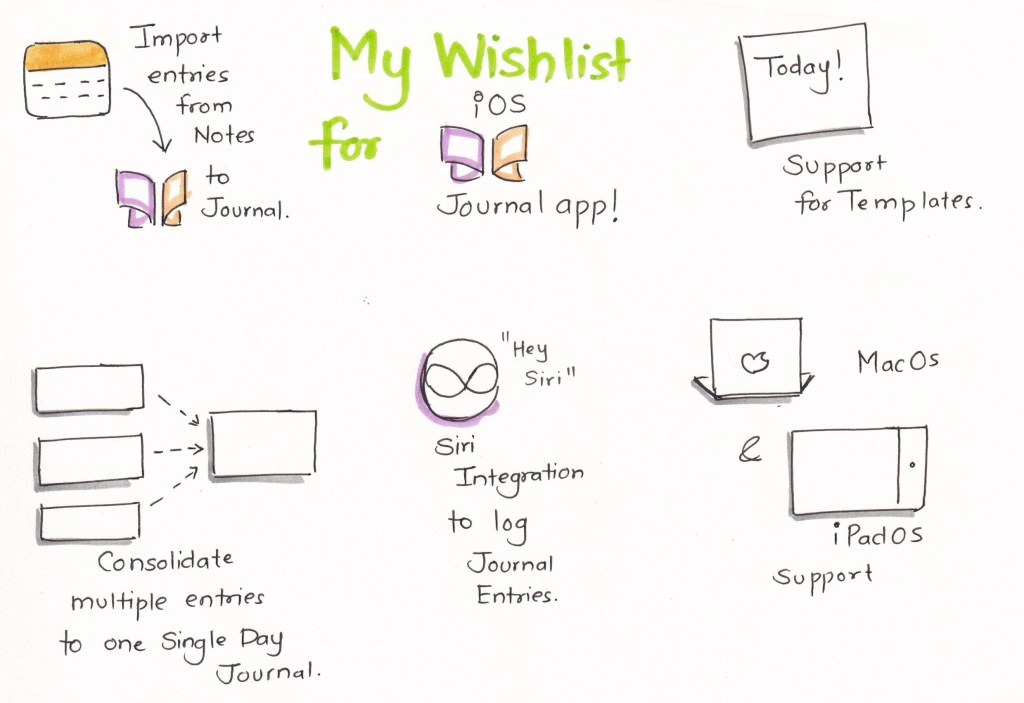
I have been journalling since 2012 daily. I credit a lot of improvements that I have made through the self reflections I have noted down in my journal. For journalling, I have tried so many apps, including EverNote, Notion, OneNote and currently I am using Apple Notes. When Apple announced its Journal app, I was super excited. I moved my Journalling to the Journal app to give it a spin and I love some of the unique features it brings like “Recommended Entries” and the “Reflection” suggestions. With iOS18 coming this October 2024, the app will get some improvements but not the ones that I was expecting. So here is a SketchNote for my Wishlist for the iOS Journal app.
- Import entries from Notes to Journal – I have a decade worth of entries in Apple Notes app and I would like to see them in one place. So I wish Journal would get a a feature to import your entries from Apples very own Notes app.
- Consolidate multiple Entries to One Single Day Journal – At the end of the day, I would like to consolidate all what I have written into one single Day Journal to keep it clean. That’s what I do currently in Notes but Journal seems to be missing the feature.
- Siri Integration – This is a nice to have. While driving or when I am multi tasking I could just invoke Siri to make a quick note. So why not use Siri to log my mood or how I am feeling.
- Support for Templates – Many journal apps support this. Using a template can also help people to defeat the inertia and start logging. Things like Gratitude or Intentions of the Day can be added to a template which can be used Daily. Sometimes a blank slate can be intimidating.
- MacOS and iPadOS apps – This is my biggest request. Currently the app is iOS only which means it is only available on the iPhone. I like the flexibility of writing anywhere but more than that I would prefer to log my thoughts in one go and typing on the phone just does not feel good enough. I would really like the ability to type my journal on a big screen like iPad or a Mac. It can enable many things like writing Morning Pages.
So that’s it, that’s my Wishlist for the Journal app. Have you used it? Do you Journal Daily? Share your thoughts and comments on what I missed.


 Jatin Kapadia